Every account on an ArcPanel server is a user with a package. The package sets what the account may have: domains, mailboxes, databases, disk, Node.js and Docker apps, ports and PHP versions. This guide is for administrators; Resellers covers accounts that host customers of their own.
Roles
| Role | Can |
|---|---|
| User | Manage their own web, DNS, mail, databases, cron jobs, backups, files and apps, within their package |
| Reseller | The same for their own account, and create and manage customers with the packages they may give |
| Administrator | Everything, including every account, the packages and the Server pages |
Choose the role when you add the user, or later on the Administration tab of the user's edit page. You cannot change your own role or that of the first administrator.
v-change-user-role alice reseller
The command takes admin, reseller or user, and refuses a suspended user.
Add a user
Open Users and click Add User. The wizard has these steps:
- Account: Username (lower-case letters, digits, dots, dashes and underscores), Name, Email, Language and Password, with Generate. A password needs at least 8 characters, with upper-case and lower-case letters and a digit.
- Package: the Package, and for administrators the Role, the Owner (the reseller who hosts a user) and Do not allow user to log in to Control Panel, for an account that only owns sites and mail.
- Web domain: optionally a First web domain, with Create DNS zone and Create mail domain.
- Database: optionally a first Database with its Database user and Database password; the user name is put in front of both.
- Review: check the summary. Send welcome e-mail to sends the login details to an address you enter.
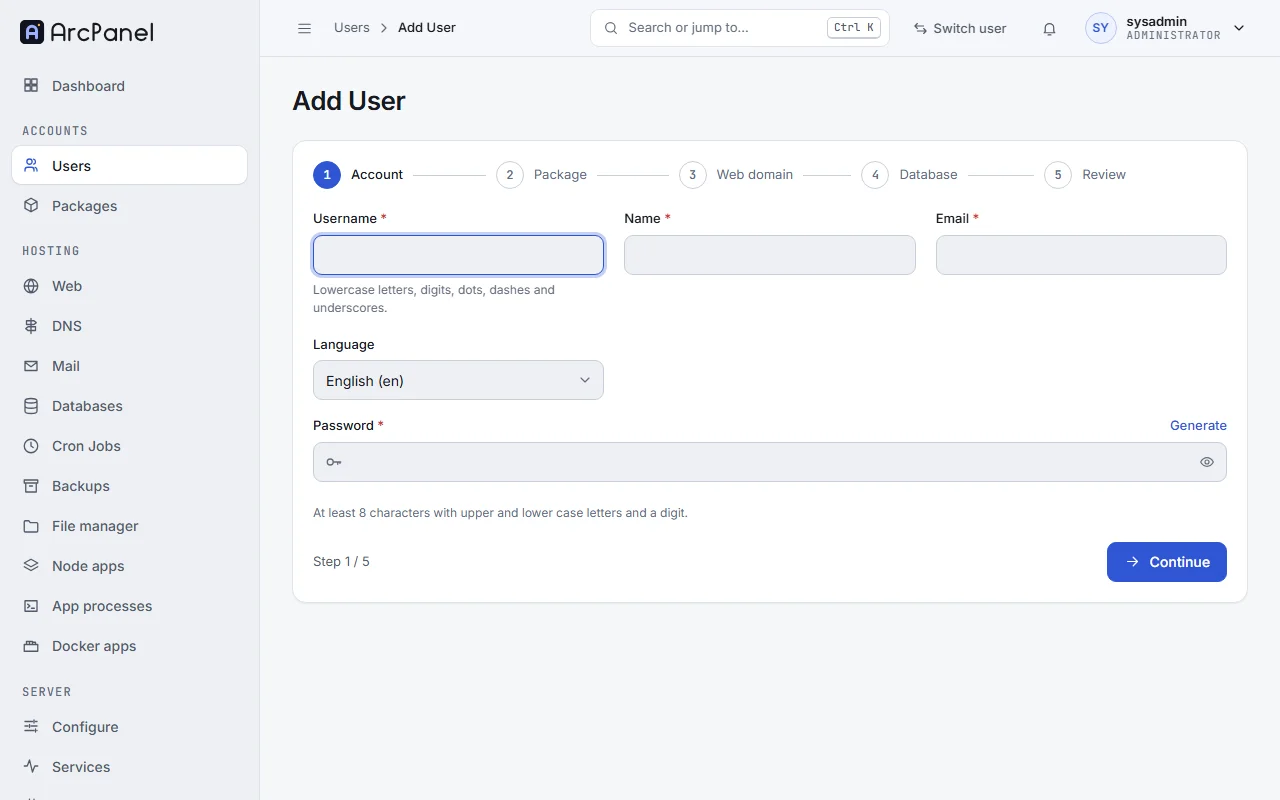
The steps for the web domain and the database appear only on servers that have web and database services. If one of them fails, the account stays and the error names the step.
v-add-user alice 'Str0ng-pass' alice@example.com developer "Alice Smith"
The users list
The list shows Username, Name, Role, Owner, Package, Web Domains, Disk and Status. All roles and All owners filter it, and the Owner tree tab shows each reseller with their customers. Each row has Open, Edit, Log in as, Suspend and Delete; select several rows to suspend, unsuspend or delete them together.
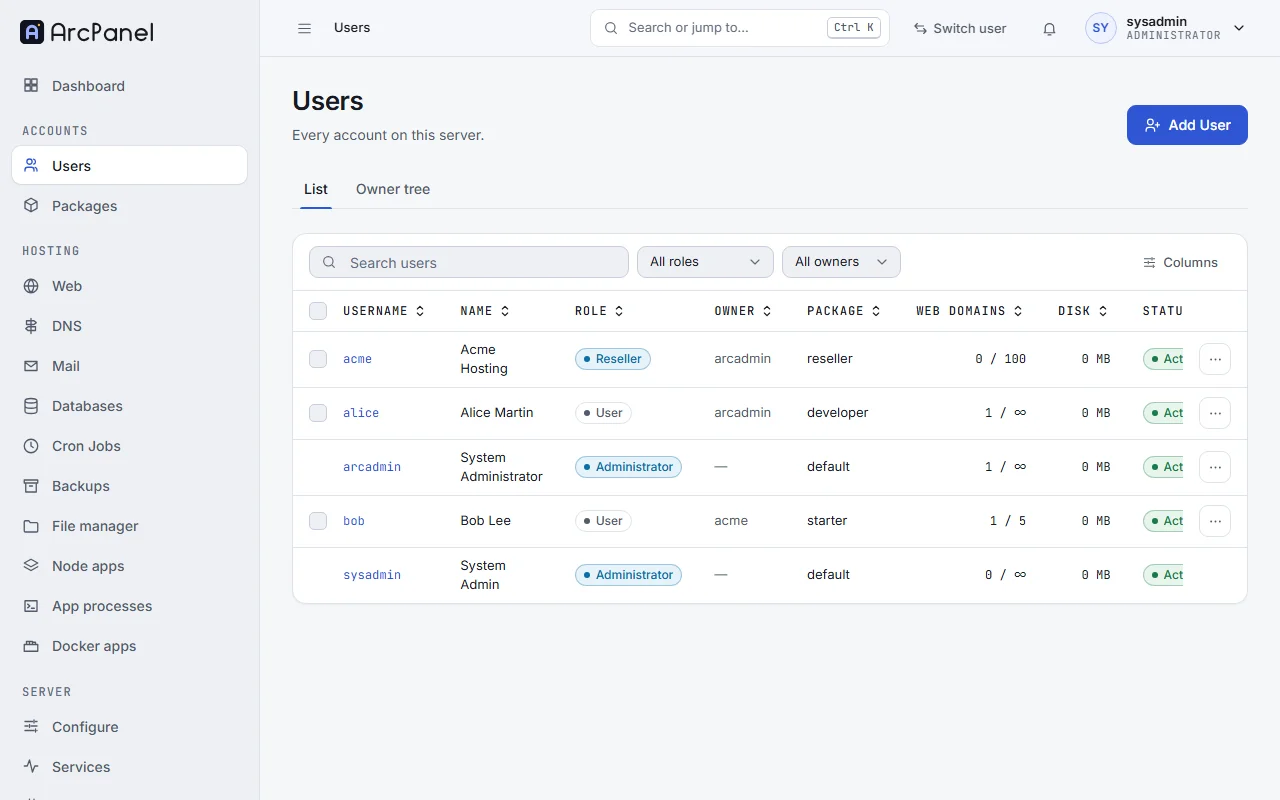
Open shows the account's usage against its package and, for a reseller, the Reseller plan and the Customers.
Edit a user
The edit page has these tabs:
- General: Name, Email, Language and New password (leave it empty to keep the password). A new password signs the user out everywhere. Changing your own password or e-mail asks for your current password first.
- Package: another package. The usage must fit into it: a user with five web domains cannot move to a package that allows three.
- Name servers: two to eight, one per line, for the user's new DNS zones.
- Security: Do not allow user to log in to Control Panel, Use IP address allow list for login attempts with the Allowed IP addresses (one IPv4 address per line), and Turn off two-factor authentication when the user has it.
- Administration: Role, Owner, SSH Access (the shell of the account) and PHP CLI Version (the
phpof the user's shell and cron jobs).
v-change-user-package alice developer
v-change-user-password alice
v-change-user-password without a password asks for it, so it does not end up in your shell history.
Log in as a user
Log in as, on the user's page or in the row menu, opens the panel as that user, to see what they see or to fix something for them. The Switch user menu at the top does the same with a search. While you are logged in as someone else, the top bar shows Logged in as with the user's name and Return, which brings you back to your own account.
Every start and end is written to the system log. Administrators can log in as any account but their own; resellers only as their own customers.
Suspend and delete
Suspend stops everything of the account: its sites show a "suspended" page, its mail is refused and it cannot log in. Unsuspend brings it all back. Delete removes the account with its domains, mail, databases, cron jobs, apps and files; its backup archives stay in /backup.
v-suspend-user alice
v-unsuspend-user alice
v-delete-user alice
The first administrator cannot be suspended or deleted. A reseller with customers cannot be deleted until its customers are moved or deleted.
Packages
Open Packages. The list shows the main limits of each package and how many users have it; Copy makes a new package from one, and Delete removes a package that no user has. The default package cannot be deleted.
What a package sets
| Card | Fields |
|---|---|
| Package | Package Name, Web Template, Backend Template, Proxy Template, DNS Template (the templates of new domains) and SSH Access |
| Limits | Web Domains, Web Aliases (per domain), DNS Zones, DNS Records (per zone), Mail Domains, Mail Accounts, Databases, Cron Jobs, Quota and Bandwidth in MB |
| Mail rate limit (messages per hour per mailbox), Backups (archives kept), Ports (allocated to each new user) and Incremental backups (restic snapshots) | |
| Name servers | The name servers of new users of the package |
| Node.js | Whether users may run Node.js, how many Node.js versions and Node.js apps, and the Allowed majors: lts, * or majors such as 22,24 |
| Docker apps | Whether users may install Docker apps, how many, and the CPUs per app and Memory per app |
| App processes | Whether users may run app processes, how many, and the CPUs per process and Memory per process |
| PHP | The PHP versions and PHP-FPM profiles the users may choose, and the Default profile of new domains |
| Reseller | Customers, Packages the reseller may assign and Available to resellers; see Resellers |
Most limits have Unlimited. Mail rate limit and Backups always take a number.
The shipped packages
| Package | For |
|---|---|
default |
Ordinary hosting: no limits on domains, mail and databases, no SSH, no Node.js, Docker apps or app processes, and no ports |
developer |
The same with bash over SSH, Node.js (3 versions, 10 apps, LTS only), 3 Docker apps, 10 app processes and 10 ports |
reseller |
Resellers: 25 customers, 100 web, DNS and mail domains, 100 GB of disk and 100 ports |
system |
The panel's own account; it is never offered |
Edit default before you add users, so that new accounts get the limits you want.
Changing a package
Saving a package applies it at once to every user who has it: their quotas, limits and allowed features change with it. A limit below a user's current usage does not delete anything, but the user cannot add more until the usage is below the limit again.
v-list-user-packages
v-change-user-package alice default
Login history
Each user's logins are under Logs › Login History, with the address and the result. Administrators open it for any account through Log in as or with v-list-user-auth-log alice.
Next steps
- Resellers for accounts that host customers.
- Port registry for the ports of Node.js and Docker apps.