Node.js apps, Docker apps and app processes each listen on a port. The port registry decides which ports each account may use, so that two accounts never take the same one, and which of them may be reached from the internet. Apps listen on 127.0.0.1 and visitors reach them through the web domain, so nothing is exposed by default.
How it works
- The server has a range of ports for accounts,
30000–39999by default. - Each account gets a pool from that range. The package sets how many ports a new user gets (Ports; 10 in
developer, 0 indefault). An account needs a free port in its pool for each Node.js app, Docker app port and web process it runs. - When an app is created, ArcPanel takes a free port of the owner's pool and records who uses it. Deleting the app gives the port back.
- Ports that the server's own services use (the panel, web, mail, DNS, databases, FTP and SSH) are reserved and never given out.
The administrator page
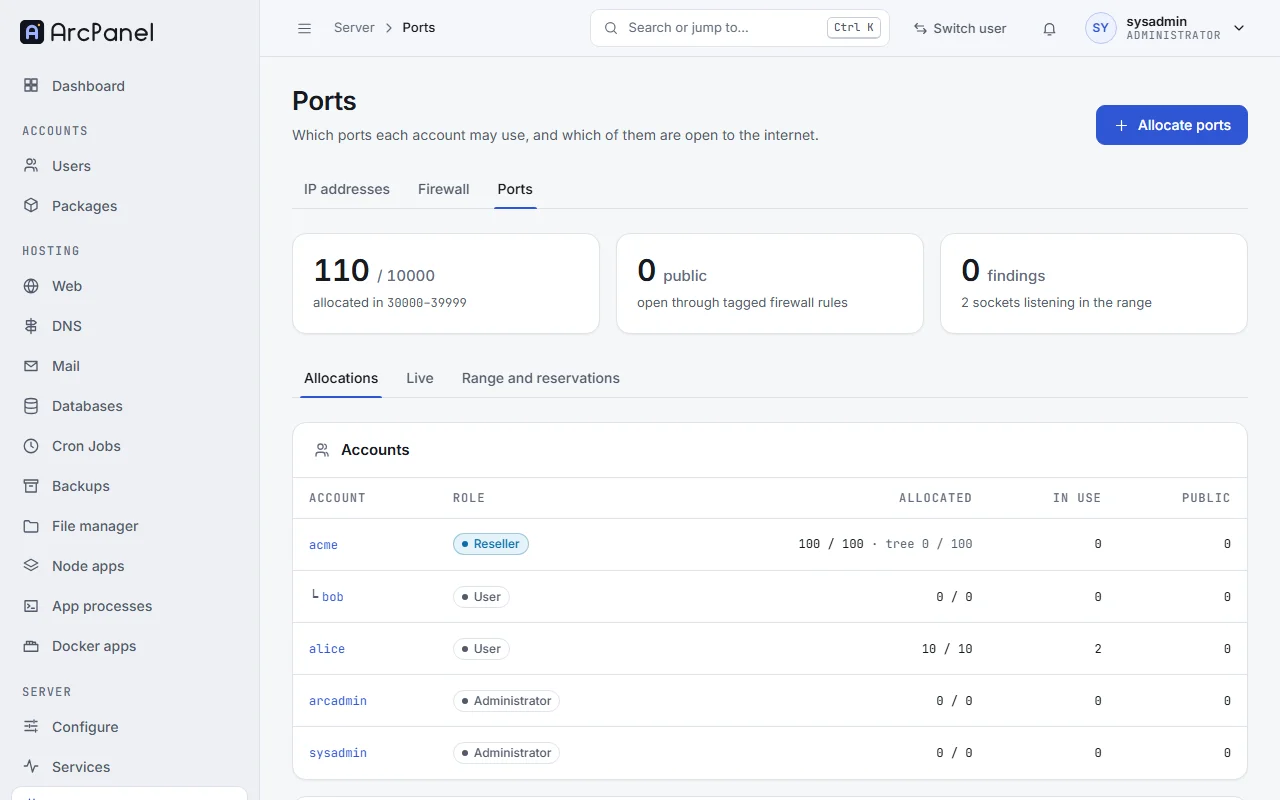
Open Network › Ports under Server. The tabs are:
- Allocations: the Accounts, with how many ports each has, uses and may open, and the Entries: each Port, its Protocol, what it is Used by, whether it is open to the Internet and whether something is Listening on it.
- Live: Findings of the last check, and what is Listening in the range right now, with the account that owns each socket.
- Range and reservations: the Server range and the Reserved ports.
Give ports to an account
Click Allocate ports and choose the Account. Under Allocate, choose A number of ports (a block of that size, 10 by default) or A port or range (such as 31000 or 31000-31009). Turn on May be public if the account may open these ports to the internet.
v-add-user-port-pool alice 20
v-add-user-port alice 31000-31009 yes "game server"
Change the range or reserve ports
On Range and reservations, set First port and Last port (between 1024 and 65535). The range cannot shrink past ports that are allocated. Under Reserved ports, Reserve a port or range with a Reason, for something you run yourself.
v-change-sys-port-range 30000 39999
v-add-sys-port-reserved 31500 "monitoring agent"
Public ports
A port is public when a firewall rule lets the internet reach it. Only ports marked May be public can be opened; Allow public use and Forbid public use in the row menu change that mark.
The account, or an administrator, opens such a port with Open to the internet in the row menu, and closes it with Make private. ArcPanel writes the firewall rule itself; it shows as Managed by Ports on the Firewall page and cannot be changed there. A suspended account's public ports are closed until it is unsuspended.
The Internet column tells you where each port stands, for example Public, Private, may be public, Private, or Listens on all addresses for an app that listens on every address instead of 127.0.0.1.
What users see
Users and resellers have Ports under Hosting. It lists the ports of their pool and what uses them, and has:
- Reserve a port for something they run over SSH, with What runs on it (leave the port empty to take the lowest free one);
- Request more ports, which notifies their administrator or reseller;
- for resellers, Give ports to a customer.
The nightly check
At 03:10 the server compares the registry with what really listens and with the firewall rules. When it finds something, the administrator gets a notification "Port registry", and Live › Findings lists each issue, for example:
- Listening without an owner: a program uses a port of the range that the registry did not give out;
- Used by another account: an account listens on a port of another account's pool;
- Private port listens on all addresses;
- Public port without a firewall rule, or Firewall rule without a public port;
- Ports of a deleted user;
- Above the PORTS of the package.
Each finding has an action, such as registering the port to its account or closing the rule. Repair fixes what can be fixed safely.
v-check-sys-ports
v-check-sys-ports repair
v-list-sys-ports json
Next steps
- Firewall for the other rules of the server.
- Node.js apps and Docker apps, which take their ports from the pool.