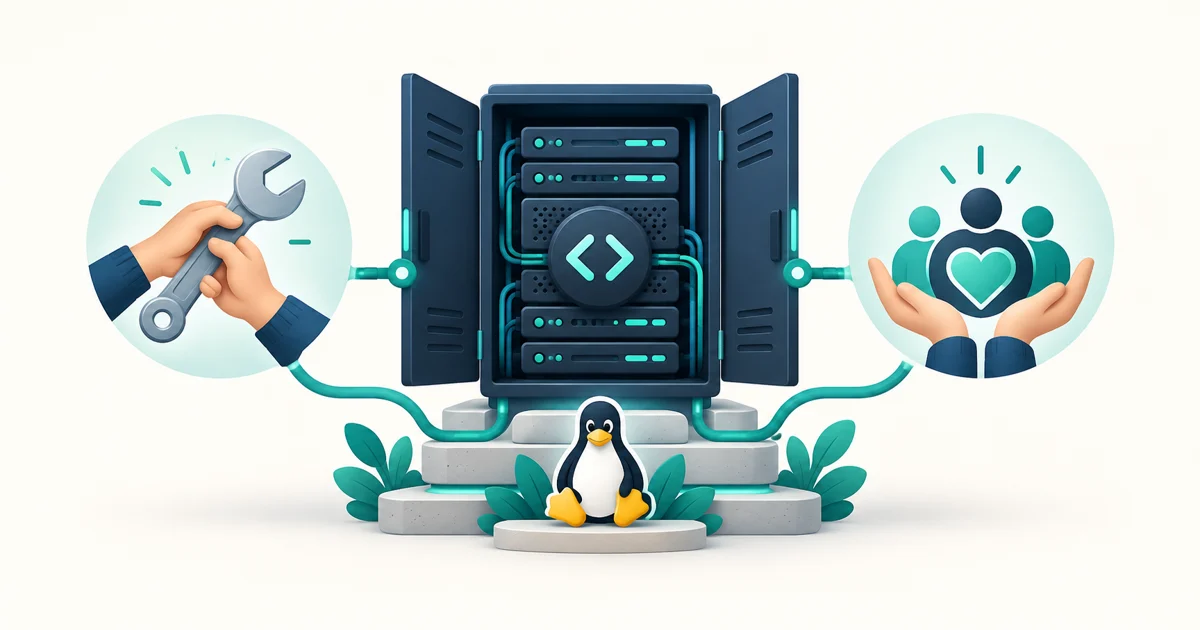
Before you put customer websites on a free hosting control panel, you need to know what keeps it maintained. Someone has to investigate bugs, test upgrades and answer difficult support questions. If the software costs nothing, who pays for that work?
ArcPanel's model is optional paid support, one-time services and voluntary contributions. Everyone gets the same public release. Paying for help changes the service you receive; it does not unlock another edition of the panel.
What does free mean for an ArcPanel server?
The panel has no license fee, per-account charge or license key. You can run it for your own websites or use it to host paying customers without buying a support plan. Adding another customer does not create a new software charge from ArcPanel.
The features in the public release include web domains, mail, DNS, databases, SSL and backups, alongside reseller accounts, Node.js and Docker apps. These belong to the shared release. The support plan you choose does not decide which of them you can use.
You still pay for the infrastructure your hosting business needs: the server, storage, bandwidth, domains and any third-party services you choose. You also need time for updates, monitoring and recovery. A zero-dollar panel license removes one bill; it does not make operating a server cost nothing.
Why keep one edition for everyone?
A hosting provider needs to know what a server can do before selling a plan to a customer. Keeping one public edition makes that decision clearer. A reseller can evaluate the account hierarchy, an administrator can test backups, and a developer can try a Node.js app using the same software they would run with paid support.
It also keeps fixes in the shared code. If a support investigation finds a bug in ArcPanel, the fix belongs in the public project. The next user with that problem should benefit from the work, whether or not they bought help.
This is the product commitment behind our support plans: every user runs the same public release, and no plan unlocks code. ArcPanel's source is available under the GNU General Public License. You can inspect the project before trusting it with your server.
What does a support plan buy?
A plan pays for help from the people who build ArcPanel. That can mean diagnosing a failed task, working through an upgrade or checking the configuration of the web, mail and database services the panel manages.
There are different levels because an operator running a personal server and a business responsible for customer sites have different support needs. Community support is available through documentation and GitHub Discussions on a best-effort basis. Paid plans specify channels, coverage and first-response targets.
| Option | What you receive | Panel software |
|---|---|---|
| Community | Documentation, public discussions and reproducible bug reports | The public release |
| Paid support | Help through the channels and response targets of your plan | The same public release |
| One-time service | An agreed installation, migration, review or development task | The same public release |
Standard support starts at $39 per server per month. The support page lists current prices, covered services, business hours and the differences between plans. Check those terms when choosing coverage. A first-response target describes when help begins; it is not a promise that every incident will be resolved within that time.
How do services and contributions support the work?
Some operators need a specific job done rather than an ongoing support relationship. ArcPanel offers installation, migration, security hardening and custom development as one-time services. Each has an agreed scope. Custom work that suits the project goes upstream.
Voluntary contributions provide another way to support maintenance. The donation page describes the funding priorities: security work, test servers, release infrastructure, documentation and translations. These are recurring parts of maintaining a hosting panel, even when no new feature appears on the dashboard.
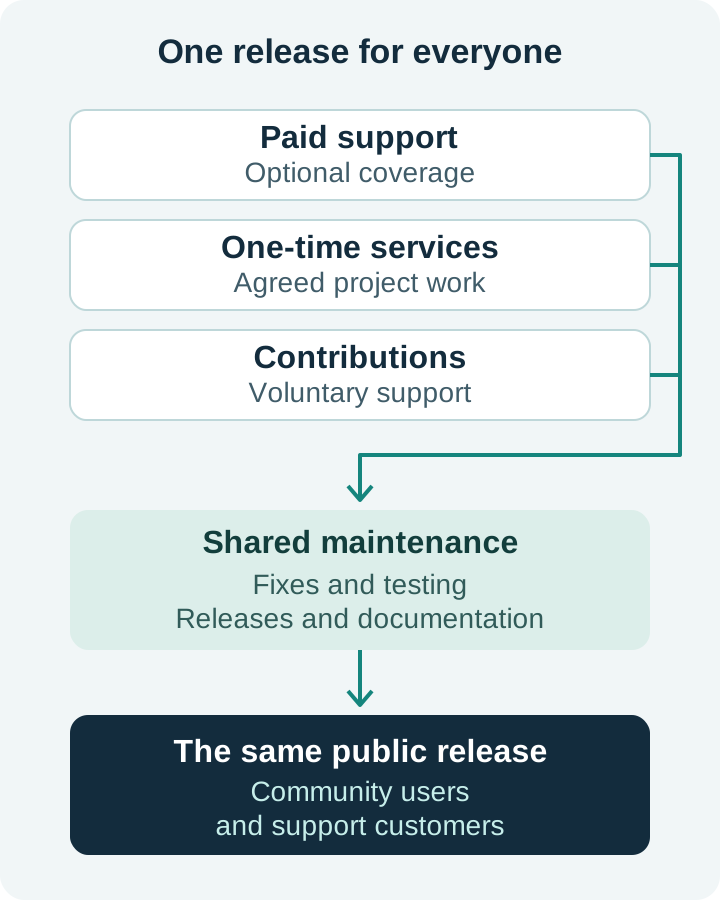
This is a description of the funding model, rather than a financial report. We are not claiming a particular revenue total, number of paying customers or amount of cash in reserve. Those claims would need dated financial records. The existence of a support page alone does not establish that a project is financially sustainable.
How can you judge whether the project is dependable?
A funding model explains how work can be supported. You should also examine the work itself before choosing a panel for customer hosting.
- Read the release history. The changelog shows what changed and when. Look for maintenance and fixes as well as new features.
- Separate released work from plans. The roadmap describes direction. Evaluate the version you can install today.
- Check how problems are handled. Read public issues for reproducible bugs and use the security policy for private vulnerability reports.
- Test your own workload. Use a separate server to check your websites, mail flow, backups and recovery procedure before moving customer accounts.
Free software still needs an operator. Keep backups outside the server, test restores and decide who will handle incidents. Paid assistance can be part of that plan, but choosing a support tier does not replace it.
Can you help without paying?
Yes. A bug report with clear reproduction steps can save hours of investigation. Testing an upgrade on a spare server can expose a problem before someone encounters it in production. A corrected guide, a translation or a useful answer in a public discussion can help the next operator.
The contribution guide explains where to start. You can also ask questions and share what you learn in GitHub Discussions. You do not have to sponsor the project to participate.
Choose the help your server needs
If you are comfortable managing the server yourself, use the public release and the documentation. If your business needs defined support coverage or help with a particular job, choose the service that fits. Either way, you run the same ArcPanel.
Compare ArcPanel support plans to see the current scope and response targets, or find a way to contribute if you would like to help maintain the project.