A customer notices on Friday that a page disappeared on Monday. Last night's backup completed successfully, but it contains the same missing page. Website backup retention decides whether an older, usable copy still exists. Choose it alongside backup frequency and storage location, before you need to recover something.
This guide helps agencies and small hosting providers turn three questions into a backup plan: how much recent work could you lose, how late might you discover a problem, and how long could the site stay unavailable? The examples are fictional planning exercises, not measured ArcPanel recovery results.
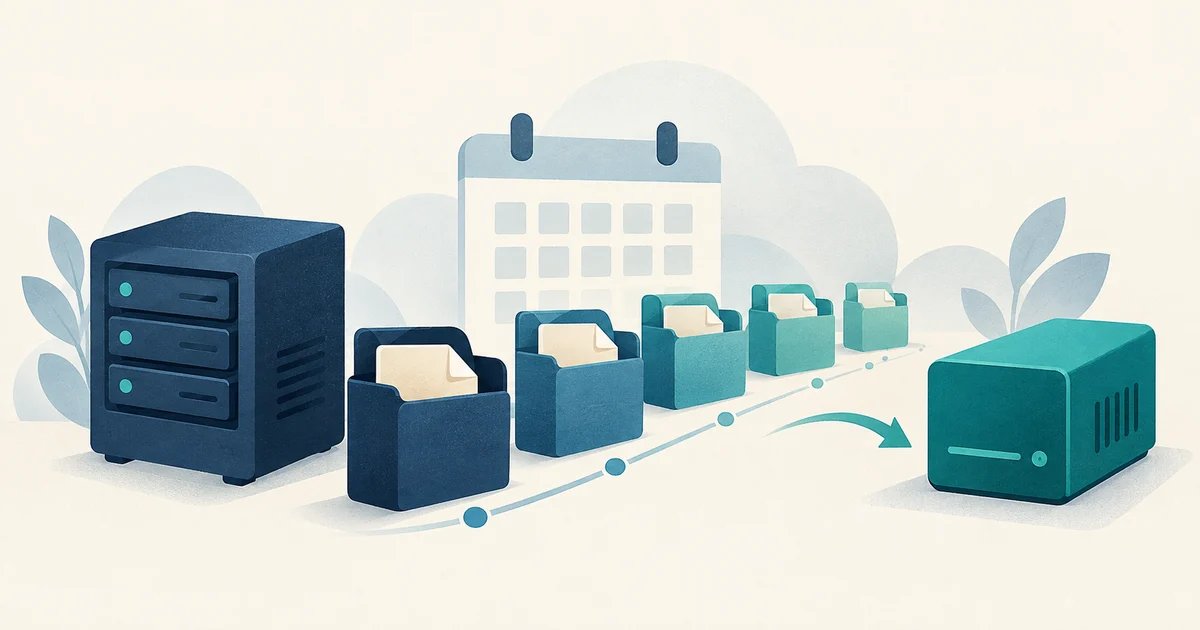
Frequency, retention and location answer different questions
- Frequency: how often you create a recovery point. It affects how much work can fall between successful backups.
- Retention: how long you keep those recovery points. It affects how far back you can look for a usable version.
- Location: where copies survive. A backup on the website's server can disappear with that server.
Taking a backup every night and keeping one archive gives you one recent recovery point. Taking one every night and keeping several gives you a history. Neither choice establishes that a copy exists elsewhere or that a restore will work.
Start with a short written requirement for each customer account. A brochure site and a shop can share a server while needing different recovery plans.
1. Decide how much recent work you could lose
Ask what changes between backups: orders, uploads, form submissions, mailbox messages or edited pages. Then ask which changes you could reconstruct. An article saved in a separate editorial system is different from a customer order that exists only in the website's database.
Suppose a successful backup captures the required data at 05:10 and the site fails at 17:10. Restoring that point could leave twelve hours of changes to recover from other sources. Keeping thirty nightly copies does not close that twelve-hour gap. You need more frequent recovery points if that amount of lost work is unacceptable.
For a busy transactional application, account archives may be only one layer of the plan. Discuss application-aware database backups or another tested recovery method with the person who operates the application. Do not promise an hourly recovery target simply because a nightly job exists.
2. Allow time to discover a problem
Some failures are obvious immediately. Others sit unnoticed: an editor deletes an old page, a plugin damages records that nobody opens for a week, or a deployment breaks a monthly report. Retention needs to reach back before the damage, not just before the support ticket.
In the Friday example, Thursday night's archive may be perfectly readable and still be the wrong recovery point. You need a copy from before Monday's deletion. Allow room for investigation too; do not make the only useful copy expire while you work out what happened.
These examples show how to discuss requirements. They are starting points to validate with the account owner, not preset service guarantees:
| Fictional workload | Recovery question | Planning consequence |
|---|---|---|
| Agency brochure site | Could an unnoticed page deletion take a week to surface? | Keep recovery points from before that discovery window, with time to investigate. |
| Daily publication | Could the editor reconstruct a day's changes? | If not, capture usable copies more often than once per day. |
| Online shop | How would orders created after the last database backup be recovered? | Agree on an application recovery method and reconcile orders during the rehearsal. |
3. Choose where a copy must survive
A local archive is convenient when you need to undo a mistake on a working server. An off-server copy gives you somewhere else to retrieve data if the host becomes unavailable. Check that you can access that destination without signing in through the failed panel.
Remote storage also needs its own retention and access decisions. Do not assume a local archive count means the remote provider keeps the same history. Inspect the destination, understand its deletion rules and keep recovery credentials somewhere independent of the hosting server.
An online remote copy is still reachable by whoever holds its credentials. For ransomware resilience, CISA's StopRansomware Guide recommends offline, encrypted backups and regular recovery tests. Sending an archive to another machine does not by itself establish those protections.
4. Map the requirement to ArcPanel's backup controls
In ArcPanel 2.2.6, the nightly account backup creates archives for users who are not suspended when archive backups are configured. The user's package has a Backups field that controls how many archives are retained locally. The default package keeps one. Review this allowance for each package you offer.
The field is an archive count, not a promise of calendar coverage. Failed nightly runs can leave gaps. Additional manual backups can rotate older archives sooner. Check the actual dates available before telling a customer that their package includes a particular number of days.
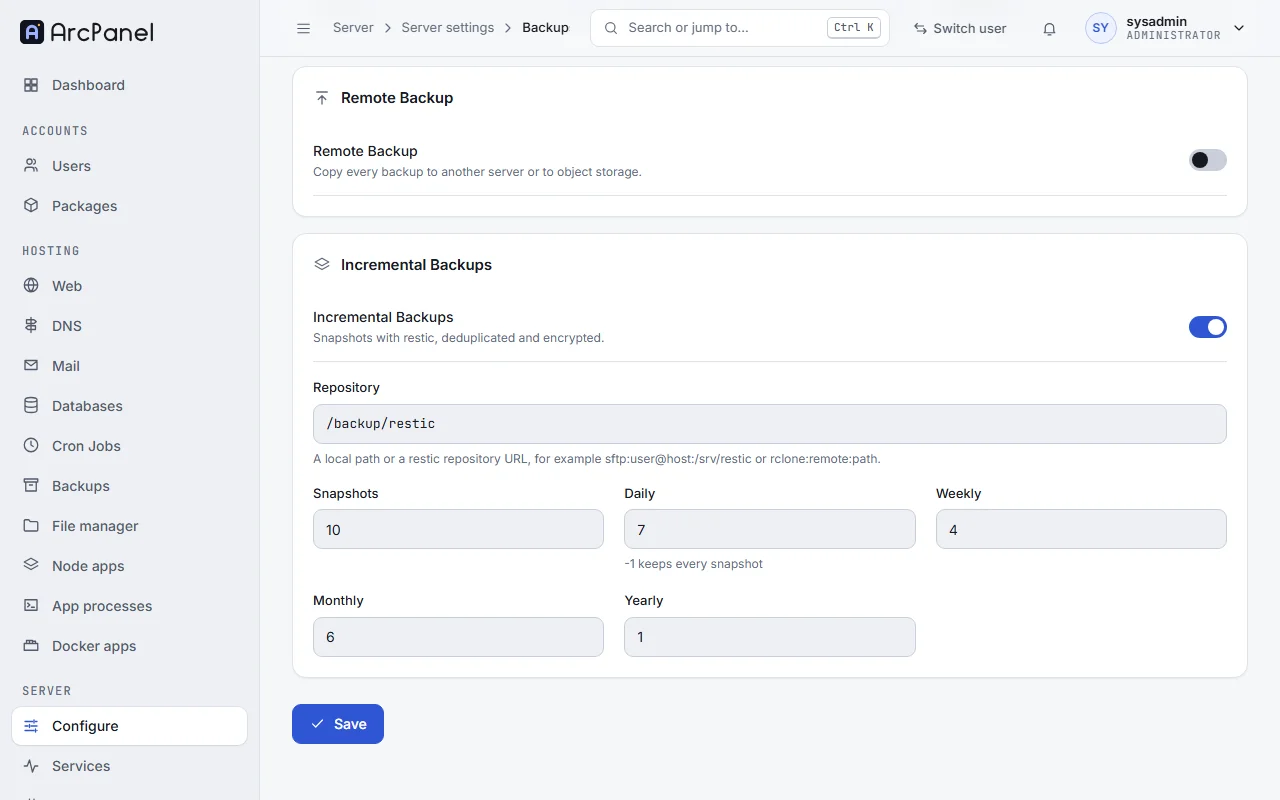
Restic snapshots have separate retention settings for total, daily, weekly, monthly and yearly snapshots. These settings select what to keep from snapshots that exist. They do not create the snapshot schedule.
Budget for both retained data and the working space required to make a new backup. Measure representative archives and repository growth before committing to a storage allowance. Deduplication may reduce repeated data in restic, but it does not make storage growth predictable for every workload.
5. Test the recovery you intend to offer
Choose a disposable account or isolated test environment. Recover a known older file, then rehearse the application recovery your customer depends on. A file restore proves that file can be recovered; it does not establish that a shop's database, uploads and external integrations work together.
Record the recovery point used, where the copy came from, what you restored and how long the work took. Include time to retrieve the archive, prepare the destination and check the application. Use those observations when agreeing on acceptable downtime.
Restores can overwrite current data. Follow the backup and restore guide, preserve anything you may need to keep, and rehearse away from live customer workloads.
Write a backup plan someone else can use
Keep a short record outside the panel: the account owner, acceptable lost work, expected discovery window, intended schedule, available retention, copy destinations and the last restore-test result. Name the person who checks failures and the person who can authorize recovery.
Review it when the application changes. Adding a shop, moving mail onto the server or accepting larger uploads can change the plan even when the number of domains stays the same.
If you are setting up a new host, the first-server checklist covers the wider handover. For this task, configure your backup schedule and off-server destination, then compare the copies that actually arrive with the recovery requirement you wrote down.